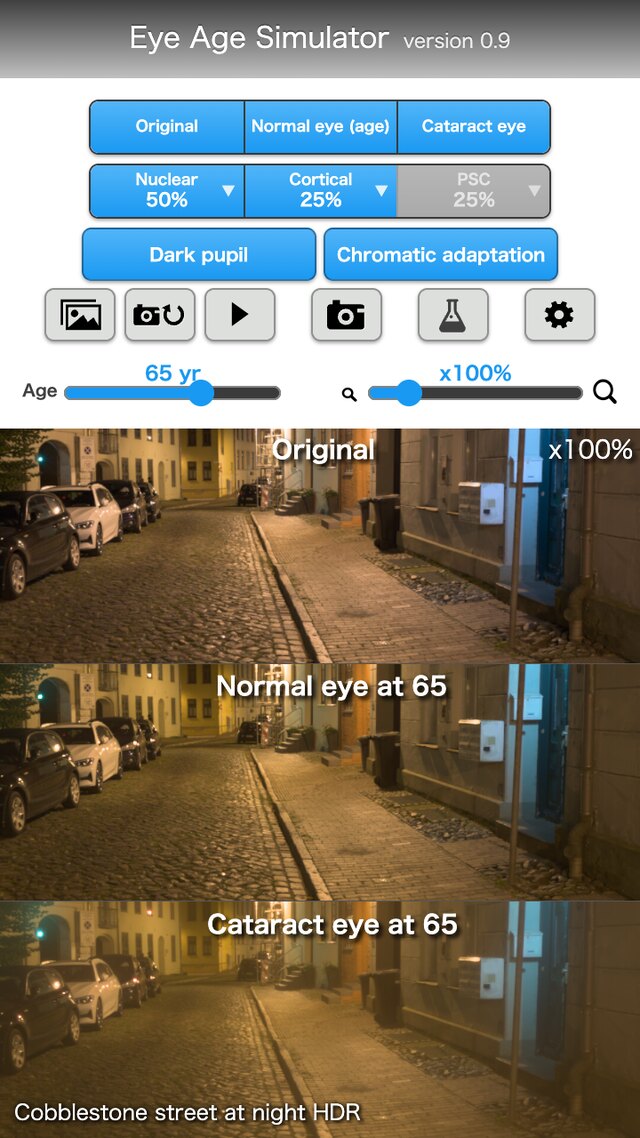
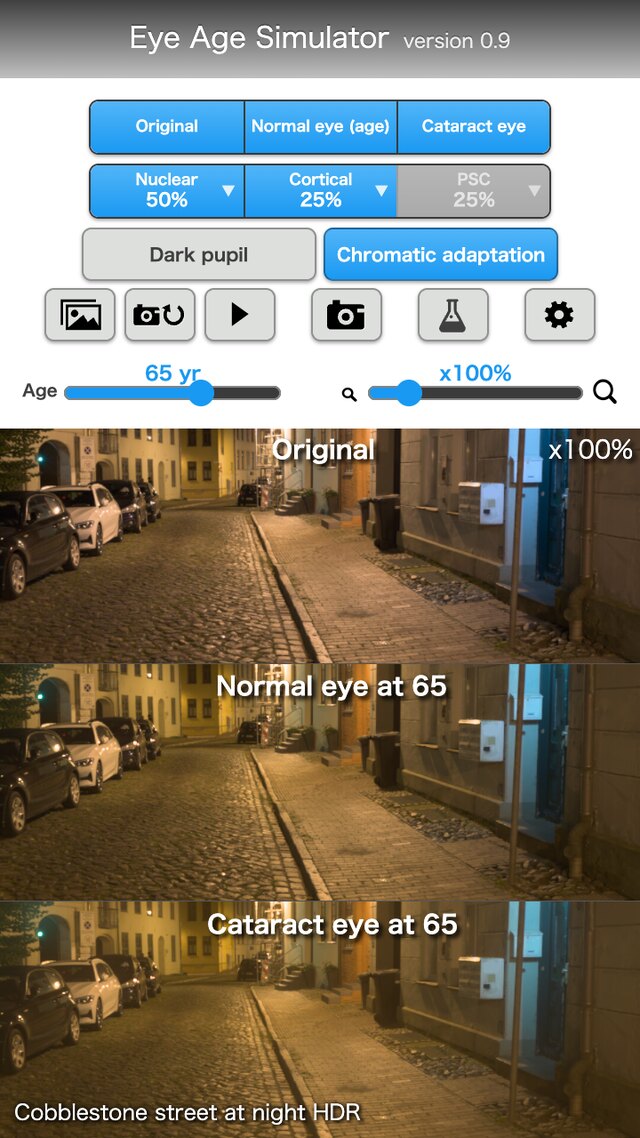


"Eye Age Simulator" lets you experience how aging and cataract change the way the eye sees.
It applies a calculation of the eye's optics (yellowing of the lens, blur, and glare and haze from opacities) to an image (a sample, the camera, or your own image) and shows it next to the original image and a normal eye.
It cannot be used for diagnosis or treatment. The numbers are literature-based estimates, and how things look differs between people.
Available in the apple storeComing Soon
Get it on Google PlayComing Soon
Features
- Choose from three views: Original, Normal eye (age), and Cataract eye. Each chosen view becomes a panel, so you can compare them side by side.
- Set the age (20 to 90, in steps of 5) to see the lens yellowing and light scatter (glare and haze) for that age.
- Turn the cataract types (Nuclear, Cortical, PSC) on or off, and set the progress (0 to 100%) in the popup of the "▼". More than one type can be used at the same time.
- Switch the dark pupil (the pupil opened in the dark) and chromatic adaptation (getting used to the yellowing).
- Choose the image source from samples (photos grouped by scene), the camera, or your own image.
- With an HDR photo, the glare of strong lights such as headlights and street lamps is also shown according to the strength of the light.
- In the research settings, enter the physical values directly. The values can be saved and loaded as JSON, and the same values and random seed give the same result.
- Save the image on the screen as a JPEG.
- Images are processed only on this device. The camera video and your own images are not sent out.
- It uses a literature-based calculation of the eye's optics. For details, see the Theory page of this site.
What's New
- 2026/11/12: Released the Web Edition version 0.9.
A web version that runs in a web browser only, without installing any software. A browser that supports WebGL 2 is required. The camera input is available only in browsers that support WebRTC.