


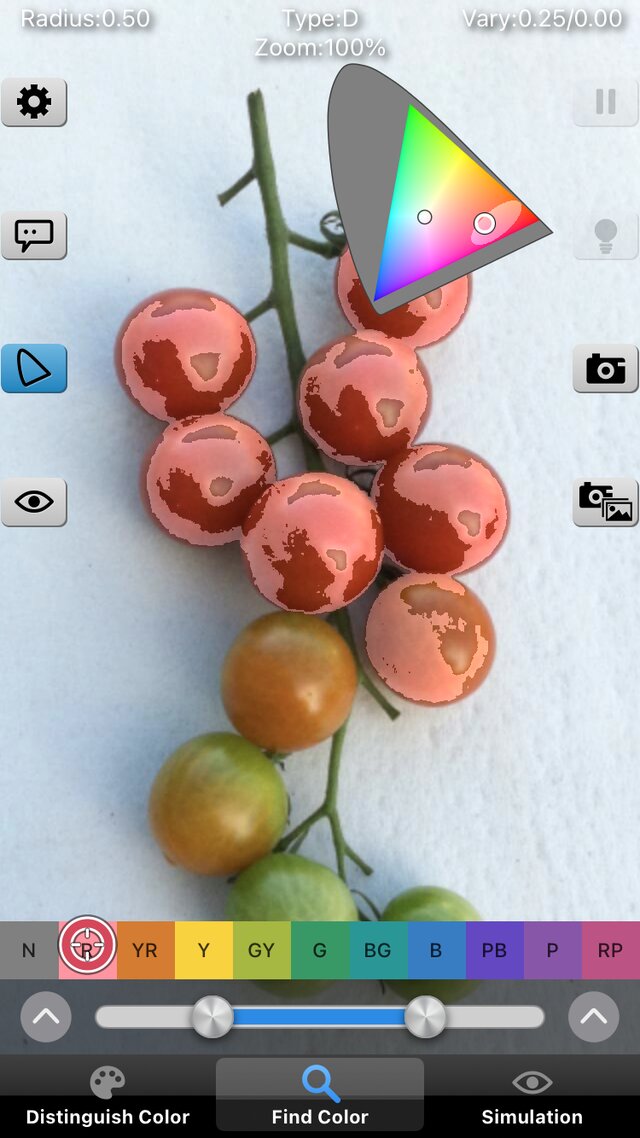
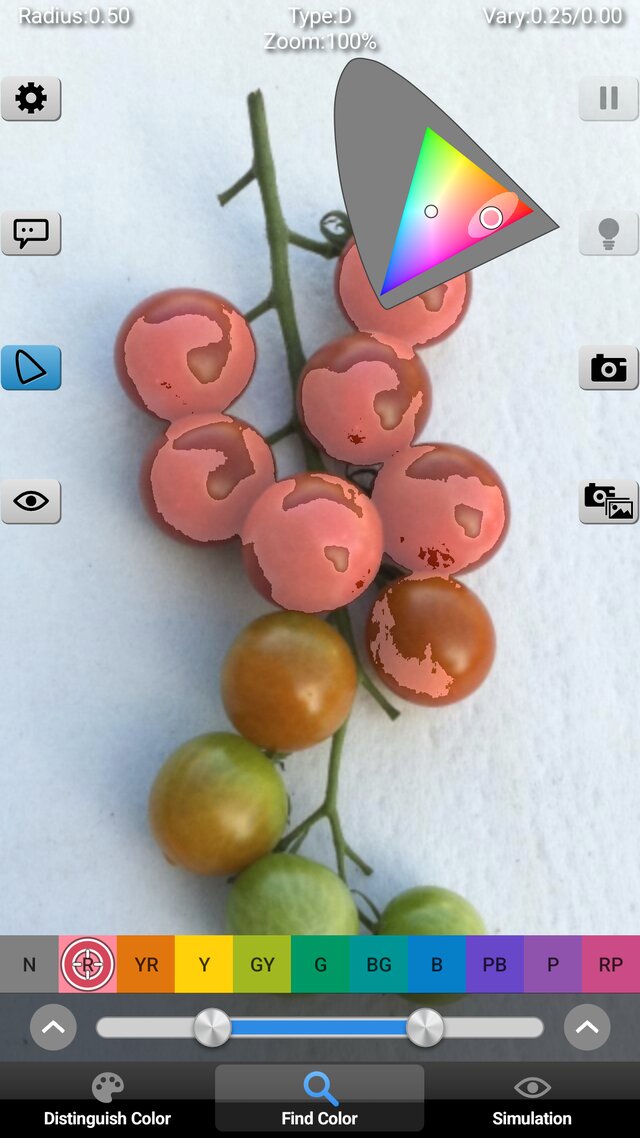
"Chromatic Glass" is a color vision assistance tool for persons who have difficulty recognizing specific colors or perceiving differences between specific color pairs due to a color vision deficiency.
Congenital color vision deficiency can be classified into three major types: Protan, Deutan and Tritan. People with different types perceive colors differently.
"Chromatic Glass" helps users to recognize and distinguish such colors by making a special modified color image based on scientific theoretical methods in real-time and displaying it and the original image alternately.
Version 3.0 adds an Android version, and the iOS and Android versions now have the same screens and the same behavior.

Features
- Supports the three major color vision types: Protan (P), Deutan (D) and Tritan (T).
- Three modes: "Distinguish Color", "Find Color" and "Simulation".
- "Distinguish Color" changes a range of hard-to-distinguish colors (a zone) into easier colors, keeping the original colors as much as possible. Choose how the zone is decided from three methods ("Zone Allocation" in Settings).
- "Find Color" makes only the colors close to the cursor color, or to a color chosen from the 11 basic colors, stand out.
- "Simulation" calculates how people of type P, D or T see the colors and shows it to a person of common type.
- Color names (systematic and traditional color names and more), a chromaticity diagram (xy or u'v') and eight presets are available.
- The app restores the state of the last exit.
- Supports the text size of the device, VoiceOver and TalkBack.
- Supports the wide color gamut (Display P3).
- No network access. Camera images are used only for display on the screen and for saving on your device.
- Developed by Kazunori Asada (Ph.D. Medical Science and Media Design) based on research in color science. The theory is described on the "Theory" page of the website.
What's New
- 2026/11/04: Version 3.0 is released.
Rebuilt from the ground up.
Added the Android version. The iOS and Android versions now have the same screens and the same behavior.
Choose how the zones are decided from three methods in Settings ("Distinguish Color").
The app now restores the state of the last exit.
Supports the text size of the device, VoiceOver and TalkBack.
Supports the wide color gamut (Display P3).
The User's Guide is renewed, and a "Theory" page is added. - 2017/12/12: iOS Version 2.2 is released.
Supports iPhone X screen size. - 2015/07/11: Version 2.15 is released.
iOS8 and iPhone 6, iPhone 6 Plus high-resolution are supported. - 2014/10/09: Version 2.13 was released.
It became iPhone 6 and iPhone 6 Plus-capable. - 2013/10/15: Version 2.12 was released.
A bug that a color name sometimes can not be displayed while freezing a camera image on iOS7 is fixed. - 2013/10/02: Version 2.11 was released.
A bug that images are not displayed in iPhone 5s is fixed. - 2013/09/26: Version 2.1 was released. Fixed issue with layout which is confused on iOS7.
- 2013/06/11: Version 2.0 was released.
- 2012/09/07: Web Edition was released.
The web edition works on a web browser without installing software. A web browser which supports WebGL is required. The web camera only works when WebRTC is supported.
As of today(2013/06/05), it works on Google Chrome, Firefox and Opera. Safari can be used with only file mode if WebGL is enabled from the "Develop" menu (it is not enabled as the default). - 2010/09/17: Version 1.01 was released.
- 2010/08/31: Version 1.0 was released.
Supports the popup buttons to switch the image source.