

About
"Chromatic Glass" supports three kinds of modes and helps users to increase their ability to perceive colors.
-
 "Distinguish
Color" Mode
This mode is for distinguishing between difficult to distinguish colors. The confusion color is recognized easily by dividing and changing colors into color zones which are determined according to the color vision type. -
 "Find Color"
Mode
This mode is for finding colors which are similar to the color under the cursor or to a color chosen from the 11 basic colors. -
 "Simulation" mode
This mode makes a simulation image according to a color vision type for showing it to the person of type C (Common type). It may be helpful to understand the colors which are hard to distinguish for various color vision types. Since a simulation image is not necessarily exact, please use it as a rough indication. The simulation strength is a value for showing the intermediate image between the color appearance of the most severe form of dichromacy of each type (100%) and the original image (0%). It does not simulate the color appearance of anomalous trichromacy (mild color vision deficiency).
Moreover, it raises understanding of the color by using the following functions together which can be used in any mode.
- "Displays Color Value or Color Name Function"
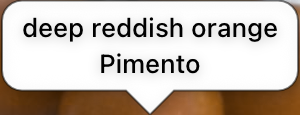
The value and the name of the color at the place you point at with the cursor are shown in a balloon.
Choose the content of the four lines of the balloon in Settings (CIELAB, Oklab, CIELUV, RGB, XYZ, xyY, Munsell, JIS systematic and traditional color names, ISCC-NBS systematic names, TCCA traditional names, or none). - "Displays the Chromaticity Diagram Function"
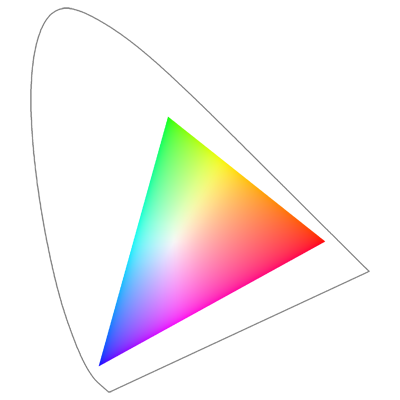
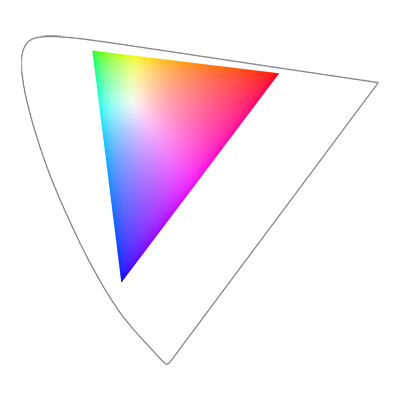
You can operate this application with confirmation which and how colors are changed by seeing the chromaticity diagram.
The "xy chromaticity diagram" and the "u'v' chromaticity diagram" are supported.
Product Requirements
- iOS version
iPhone and iPad with iOS 17.0 or later. - Android version
Android devices with Android 8.0 (API level 26) or later and OpenGL ES 3.0 or later. (It may not work on some models.)
 open image
 open
image
"Simulation" Mode
 open image
Settings
 open
image
Notes
- This application software was developed by Kazunori Asada (Ph.D. of Medical Science and Ph.D. of Media design), and is released free.
- Acknowledgment:
In developing the version 2.0, I would like to acknowledge the contributions of the following people: the people of the NPO Color Universal Design Organization, who helped me to input data of the JIS Common Color Names; Mr. Iridium, who helped me to design a part of the logo and the splash; Mr. Michael Mielke, who checked my English; and the people who tested the application. The calculation module of the Munsell value is based on Mr. Maker-One's paper after obtaining his permission. Thank you very much. - Please see the manual for additional acknowledgments.