Introduction
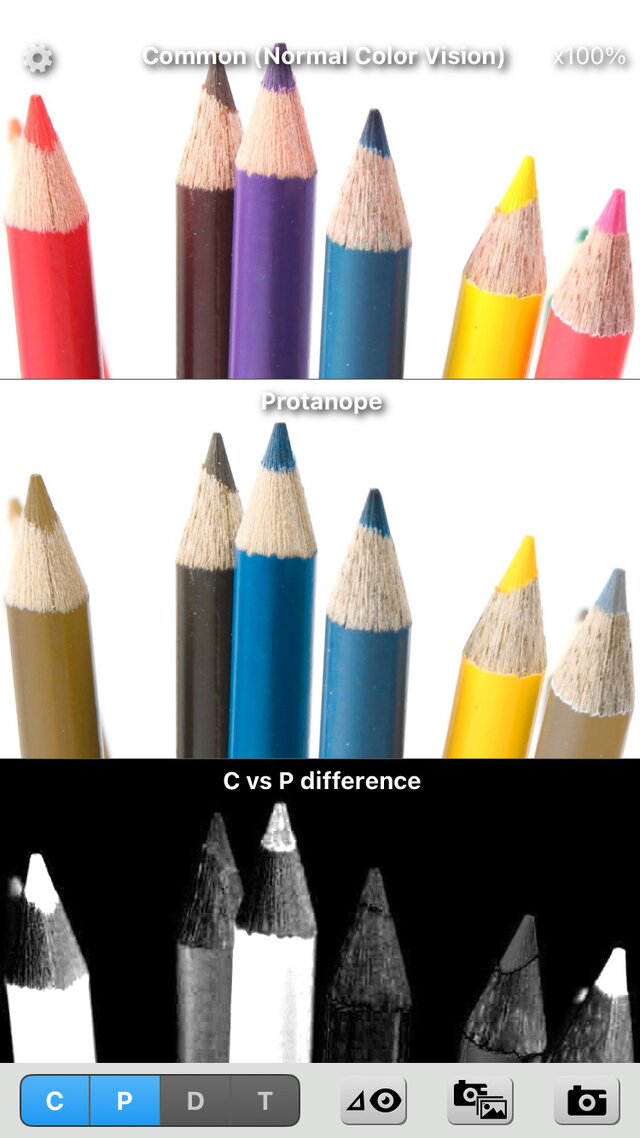
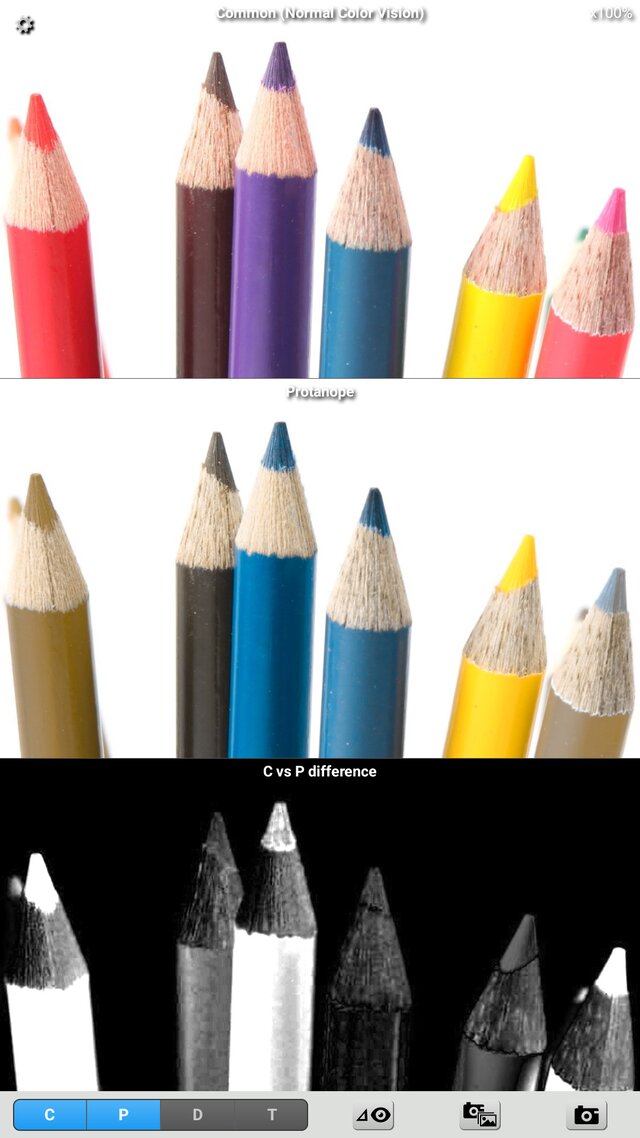
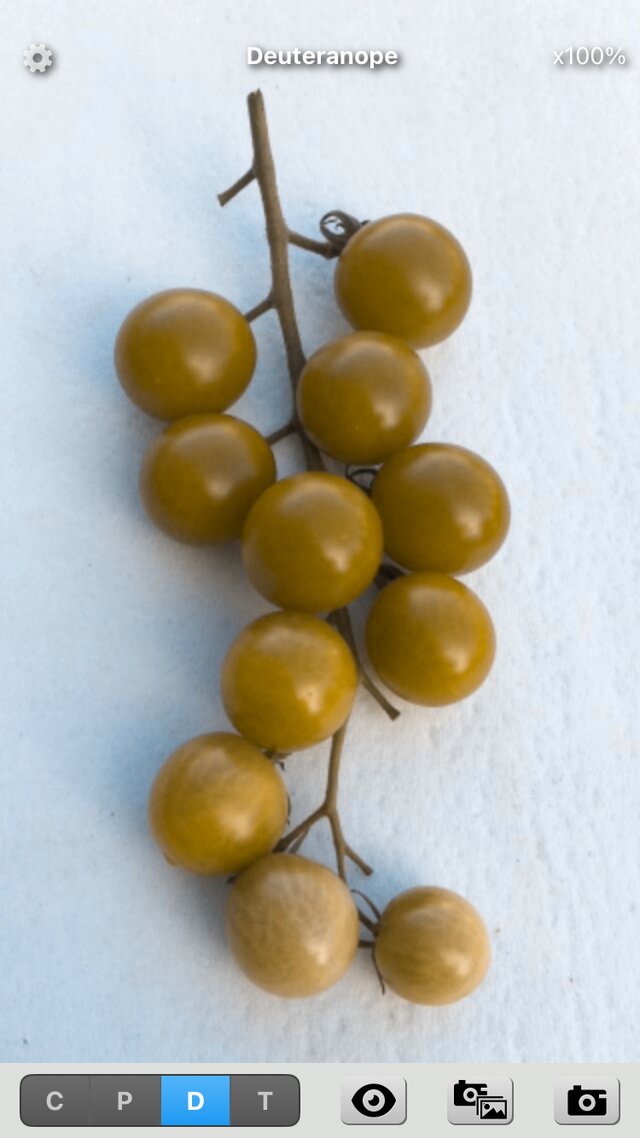
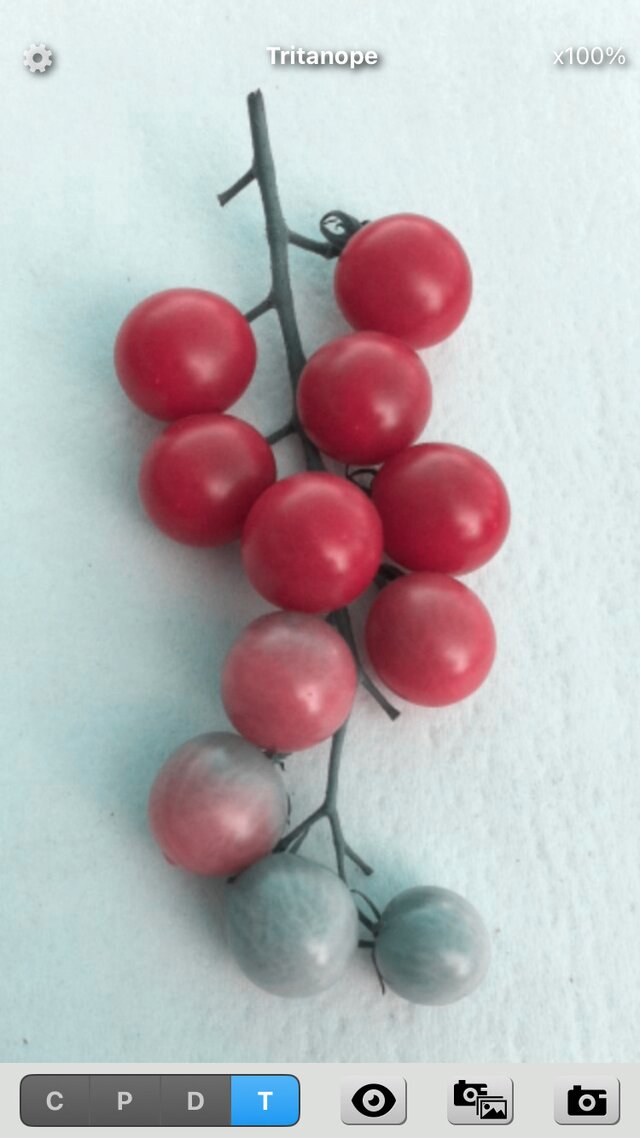
"Chromatic Vision Simulator" is an experience tool which simulates color vision of color vision deficiencies.
About 5% of men have difficultly distinguishing red and green, or recognizing dark red. Such color deficiency can be classified into three major categories: Protanope / Protanomal, Deuteranope / Deuteranomal and Tritanope / Tritanomal.
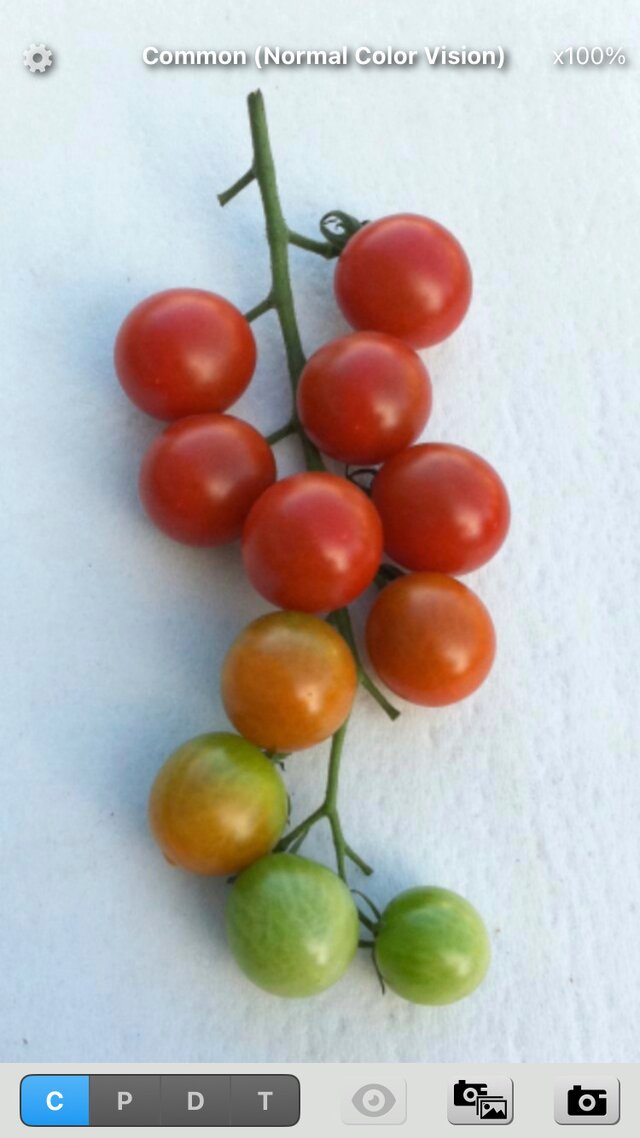
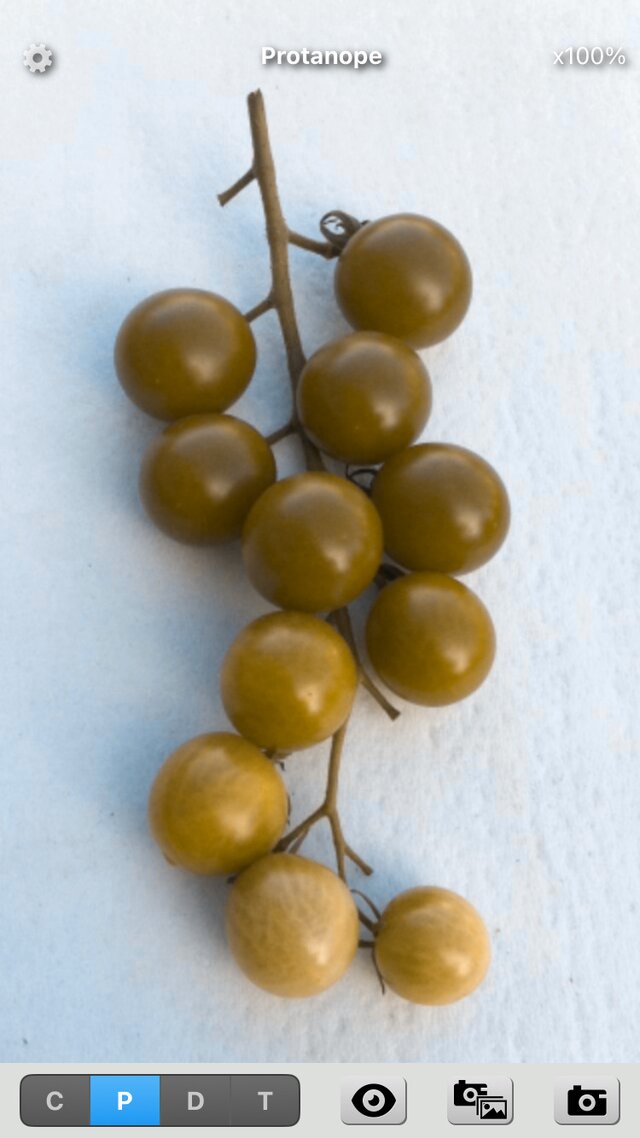
Color deficiencies are the inability to tell differences between some colors other people can easily distinguish. People with different types of color vision deficiency perceive colors differently. For example, individuals diagnosed as Protan or Deutan cannot perceive differences between red and green, and pink and cyan.
These color visions are predictable by calculating working of the cone cells that perceive colors to some degree.
"Chromatic Vision Simulator" makes a simulated image of each color vision type of dichromat from built-in camera or image file and shows you how people with a specific type of color deficiency see the world in real-time.
Main Functions
- Real-time parallel simulation
Supporting real-time parallel simulations of different types of color vision simultaneously. A parallel simulations mode shows two, three or four different simulated color vision image together within type C or dichromat color vision of type P, D and T together. - Difference mode
Shows, as brightness, how much the colors change between the original image and the simulated image of each color vision type. Places with no difference are black and places with a large difference are white (the distance in the Oklab color space). You can change the upper limit of the distance with the slider. Swipe left or right with two fingers on the screen, or with one finger on the bottom bar, to switch between it and the conventional "Appearance mode". - Show Color Name
Shows the name of the color (systematic and traditional color names), CIELAB, Oklab, Munsell and more at the place you point at with the color cursor. You can choose the items to show in the settings. - Universal application
The iOS version is for iPhone and iPad, and the Android version works on various Android devices. Both have the same screens and behavior. - Digital zoom (max 5x)
5x digital zooming of simulated images is supported. The point at the center of the screen stays at the center when you zoom, and a double tap resets the zoom. - Image source
Rear camera, Front camera (when supported) and image file in the "Photo Album" can be used. You can move an image file by dragging with one finger. - Storing simulated images
Simulated Images including double, triple and quadruple can be stored in the "Photo Album". Marking letters of color vision type (C, P, D, T) and the strength can be drawn on the saved image (depending on "Settings"). Saved images do not include location information. You can also save by pressing a volume button of the device (depending on "Settings"). - Settings screen
You can set text on saved images, save on volume button, difference mode, color name display, save sound and volume, and color space in the settings screen. - Wide color gamut (Display P3)
On devices with a wide color gamut, images are shown and saved in Display P3 (choose "Automatic" or "sRGB" for "Color Space" in the settings). Capturing the camera image in P3 is available on iOS only. - Screen reader
Works with TalkBack and VoiceOver.
Requirements
- iOS version
iPhone and iPad with iOS 17.0 or later. - Android version
Android devices with Android 8.0 (API level 26) or later and OpenGL ES3.0 or later. (There is a possibility of not working according to the model. )
Cautions
- A simulation algorithm is based on a proposal method of academic research described
below.
H. Brettel, F.Viénot, and J. D. Mollon: Computerized simulation of color appearance for dichromats, Journal of the Optical Society of America A, vol.14, no.10, pp.2647-2655 (Oct. 1997). - Simulated images by this software are predicted images of dichromat vision under specific condition with specific method and not necessarily accurate. There is an individual variation in color vision.
- Although this application has the ability to simulate with the "Simulation Intensity", it is just a function which makes a linear interpolation image in the Oklab color space (after limiting both colors to the display gamut) between the dichromat (the strongest color vision deficiency) simulation and normal vision (original), and it is not intended to simulate the vision of anomalous trichromat (weak color vision deficiency).
- The color names shown in this application are calculated from standards under specific assumptions, and are not necessarily accurate. The characteristics of the screen and the camera of your device also vary.
- The color difference shown in Difference mode is the distance between the simulated image and the original image, calculated in a specific color space under specific conditions, and does not necessarily represent the size of the difference in appearance accurately.
Notes
- This application software was developed by Kazunori Asada (Ph.D. of Medical Science and Ph.D. of Media design), and is released free.
- Acknowledgment:
I wish to express my gratitude to Mr. Hirofumi Ukawa and Masataka Matsuda who helped development of the open-source version. - The versions released as open source are the Android versions 3.0 to 3.3.1 (MIT License, GitHub). The iOS version and versions 4.0 and later are not open source.
 open image
 open image
 open image
 open image